2. Adobe Photoshop
Adobe Photoshop remains the industry standard for pixel-based editing. Designers use it to create custom t-shirt designs from photos, textures and layered compositions, with tools for background and object removal, masking and color correction.
Photoshop runs on desktop, browser, and mobile, and Creative Cloud syncs files between devices. Generative Fill, powered by Adobe Firefly, adds, removes, or expands portions of an image from a text prompt.
Prices:
The Photoshop plan costs $22.99 per month for an annual plan with monthly billing, or $263.88 paid one year in advance. The photography plan includes Photoshop and Lightroom for $19.99 per month.
Features:
-
Layers and masking: Composite images, remove backgrounds, and refine edges before printing
-
Smart Objects: Place logos and graphics as Smart Objects to resize repeatedly without losing quality
-
Generative AI tools: Generate or replace portions of an image at a prompt using the plan’s monthly generative credits
-
Typography and shape tools: Add logos, text and shapes with full control over style and scale
-
Cross-device workflow: Use Photoshop on desktop, iPad, mobile and browser, with projects synced via Creative Cloud
-
Export for printing: Save high-resolution PNG files with transparent background for DTG or PSD and TIFF files for further editing
| Advanced tools for photo-based designs | Costs more than most tools on this list |
| Integration with Adobe Creative Cloud and its other apps | It takes time to master it |
| Suitable for experienced designers | Less beginner-friendly than Canva or Printfuls Design Maker |
As a tip: Compare 16 Free Photoshop alternatives for photo editing on a budget.
3. Adobe Illustrator
Adobe Illustrator enables graphic design teams to create vector graphics: shapes, logos, and typography from paths that remain sharp at any print size. Brands use it for t-shirt graphics that require clean edges using DTG, screen printing and embroidery processes. Illustrator works on desktop, iPad, and web, with Creative Cloud syncing.
Prices:
Adobe Illustrator offers a seven-day free trial. After that it costs $22.99 per month for an annual plan with monthly billing, or $34.49 per month without an annual obligation.
Features:
-
Vector design tools: Create logos, text and shapes that adapt to any t-shirt printing area
-
Typography controls: Adjust kerning, tracking and font settings for bold, readable slogans
-
Templates and artboards: Set up your own t-shirt layout or use preset sizes
-
Image tracking: Turn hand-drawn sketches and scanned graphics into editable vector paths
-
Cross-platform access: Work on desktop or iPad with projects synced via Creative Cloud
-
Export for printing: Save SVG, PDF or high-resolution PNG files for DTG or screen printing
As a tip: Learn what makes a successful print-on-demand design.
| Integrated assets and tutorials support the design process | Steep learning curve for first-time designers |
| Converts hand-drawn graphics to vector format | The app consumes a lot of memory and becomes slower when multiple programs are running at the same time |
| Integrates with other Adobe programs |
4. Canva
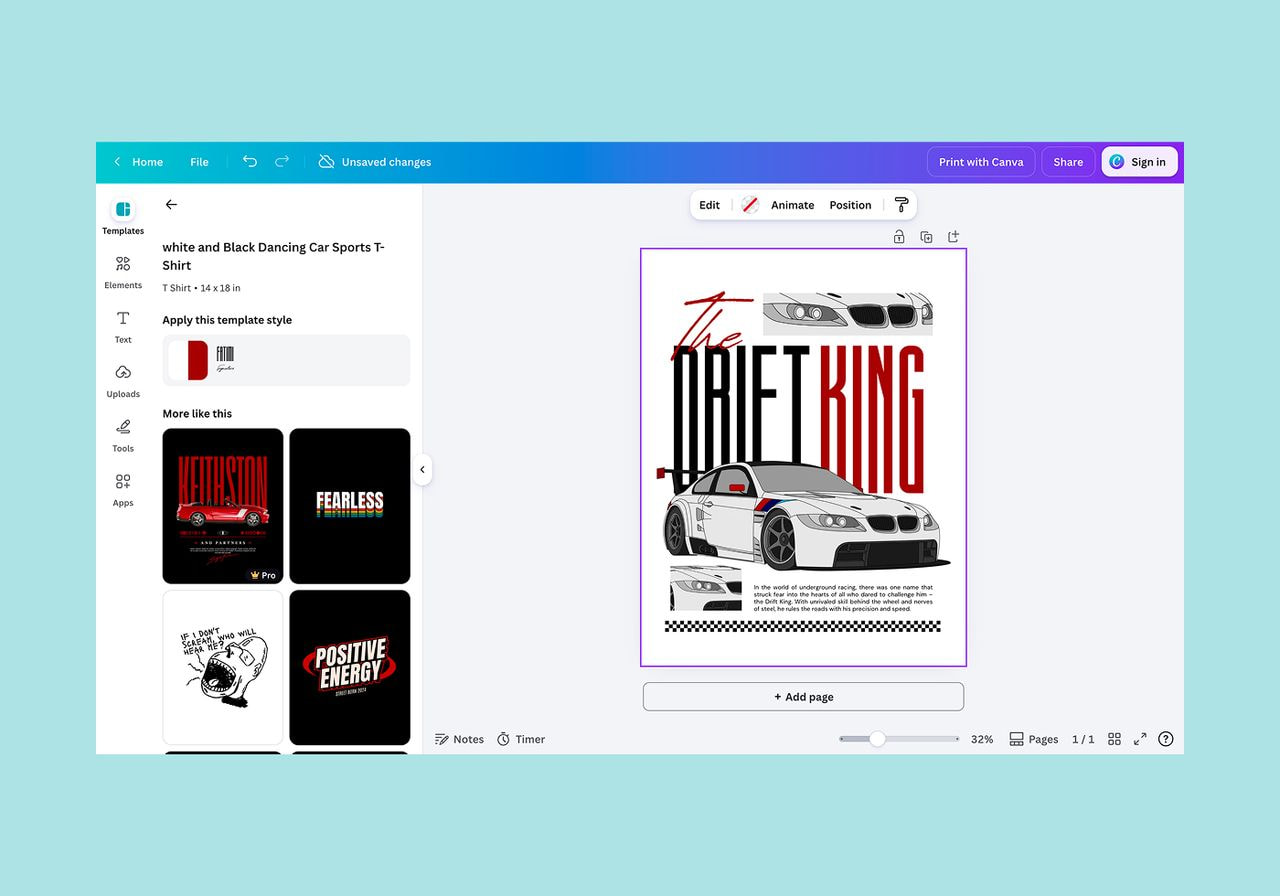
Source: Canva
Canva Works in browser, desktop and mobile. Its drag-and-drop editor and design templates make it a common starting point for beginners creating t-shirt designs with no prior knowledge.
Prices:
Canva offers a free version with basic features as well as paid plans for individuals, teams, and organizations. Canva Business replaced the Teams plan for new customers.
-
Free: Core editor, free templates and basic resources (Pro required for transparent PNGs)
-
Per: $18 per month or $144 per year for one person
-
Shop: $25 per person per month, with team administration and brand control
-
Company: Individual prices
As a tip: Learn how to prepare a print file that passes quality checks.
Features:
-
Free templates: Ready-made layouts for t-shirts, posters and more
-
Font and graphics library: Stock images, illustrations and fonts for every style
-
Upload your own images: Add illustrations, photos, or your own logo and customize as needed
-
Background remover: Remove backgrounds with one click (Pro function)
-
Collaboration tools: Share and edit designs with teammates in real time
-
Canva AI: Canva AI 2.0 Generates multi-layered, editable designs from text input
-
Export for printing: Download high-resolution PNG and PDF files in T-shirt format
| Beginner friendly | Limited customization options for advanced designers |
| Editable elements | Some elements fall under this copyright restrictions |
| Free version with basic features available | PNG exports with transparent backgrounds require a paid plan |
As a tip: Learn how to make money with Canva.
5. CorelDRAW
CorelDRAW graphics suite bundles vector illustration, page layout and photo editing in Corel PHOTO-PAINT. Experienced designers use it to create custom t-shirt graphics with precise control. The suite runs on Windows, macOS and the web and directly competes with Illustrator for vector design.
Prices:
-
Subscription: $269 per year
-
CorelDRAW Graphics Suite 2026: $549 one-time purchase
Features:
-
Vector and pixel editing: Combine scalable graphics in CorelDRAW with photo editing in Corel PHOTO-PAINT.
-
Precision tools: Create logos, line art, and layered custom t-shirt graphics with fine detail.
-
Typography and layout options: Design texts and create multi-page documents.
-
Template access: Use built-in design templates or create your own.
-
Export flexibility: Download your work in multiple file formats including print-ready PDF, PNG and SVG.
-
AI tools: Subscribers received 2,000 AI credits per month. One-time buyers received 2,000 One credit.
-
Device compatibility: Available on Windows, macOS and web, with cloud file management.
| Designed for vector graphics such as logos, illustrations and typography | Steep learning curve for beginners |
| Creates realistic, detailed designs and models | Costs more upfront than most alternatives |
As a tip: Learn how to create a retail t-shirt design.
6. Inkscape
Inkscape is a free, open source vector design software used by t-shirt designers who need scalable graphics without a subscription. It covers much of the core functionality of paid vector editors, making it a cost-effective option for new brands.
An active community improves the software with regular updates and maintains written and video tutorials.
Prices:
Inkscape costs nothing, making it suitable for sellers designing t-shirts on a budget.
Features:
-
Vector based design tools: Create clear, scalable graphics for t-shirt printing
-
Path and node editing: Customize shapes, lines and curves while maintaining full control over every design element
-
Typography and text effects: Add, style and edit text for branding, slogans or custom messages
-
Multiple format export options: Download designs in SVG, PNG, PDF, EPS and more
-
Cross-platform and free: Use it for free on Windows, macOS or Linux
| Free design tool | Fewer features than paid software |
| Exports print-ready files to popular formats | No integrated product models |
| Tutorials for independent learning are available |
As a tip: Follow our guide on how to start a t-shirt business in eight steps.
7. VistaCreate (formerly Crello)
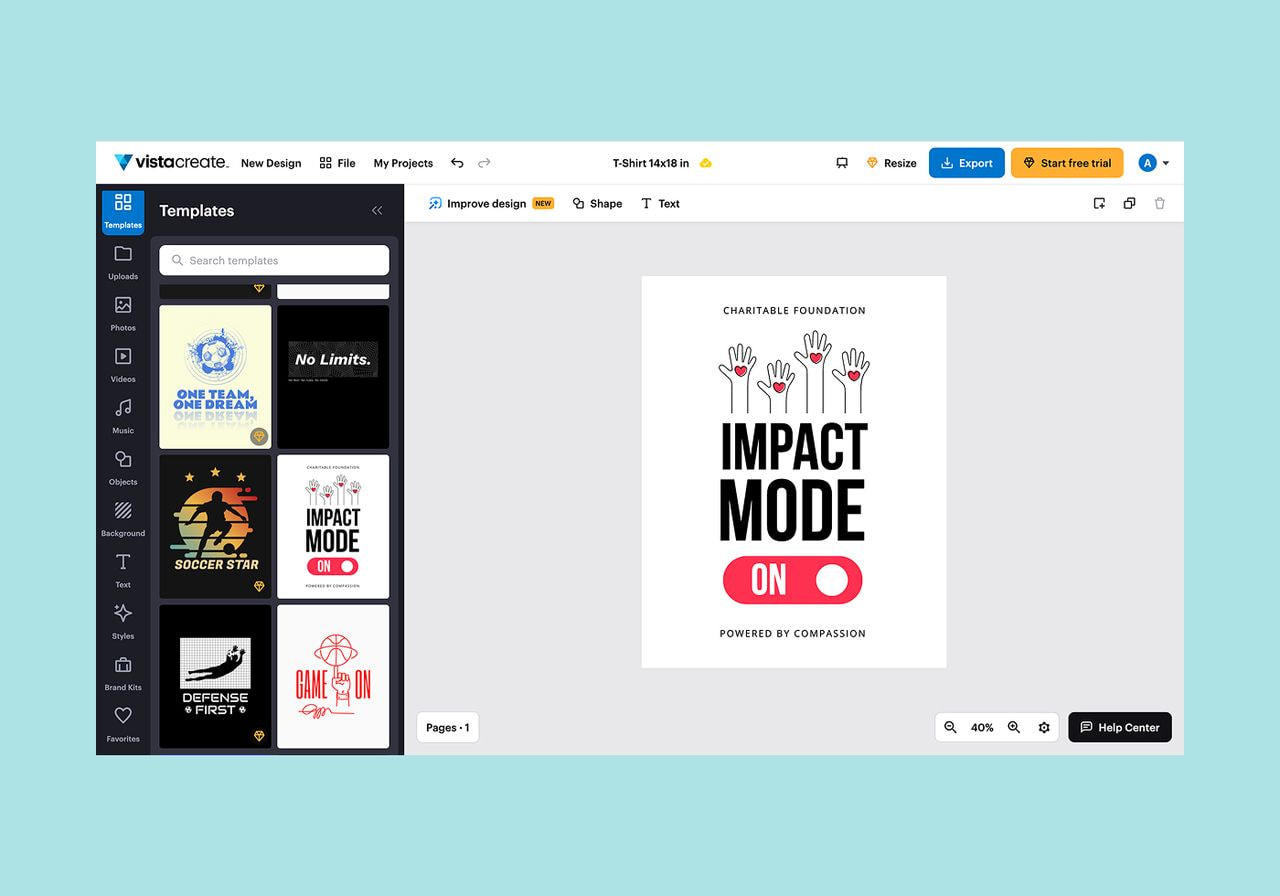
Source: VistaCreate
VistaCreate runs in the browser as well as on iOS and Android and has an intuitive interface for custom t-shirts, social media graphics and merch visuals. Small businesses and print-on-demand creators use the drag-and-drop editor without design training.
Prices:
-
Free Starter Plan: Basic access to templates and design assets.
-
Pro plan: $10 per monthbilled annually, for up to ten User. It adds premium content, a background remover, and team tools 14 days free trial.
Features:
-
Template and graphics library: Editable layouts and design assets for unique shirt visuals
-
Drag and drop editor: Create designs with shapes, text, and uploaded logos
-
Upload your own images: Overlay custom logos or graphics with built-in elements
-
Background remover: Clean up photos or logos with one click (Pro only)
-
Branded Kits and Styles: Save your brand colors, fonts, and logos to match any design
-
Export print-ready files: Download high resolution PNGs or PDFs for t-shirt printing
| Beginner-friendly and quick for t-shirt or merch design | The free plan has download limits and fewer templates |
| A Pro plan covers up to 10 user | Occasional glitches have been reported in the mobile and web apps |
| Low-cost Pro plan, priced below Canva Pro | Some users report search and filter limitations in the Asset Library |